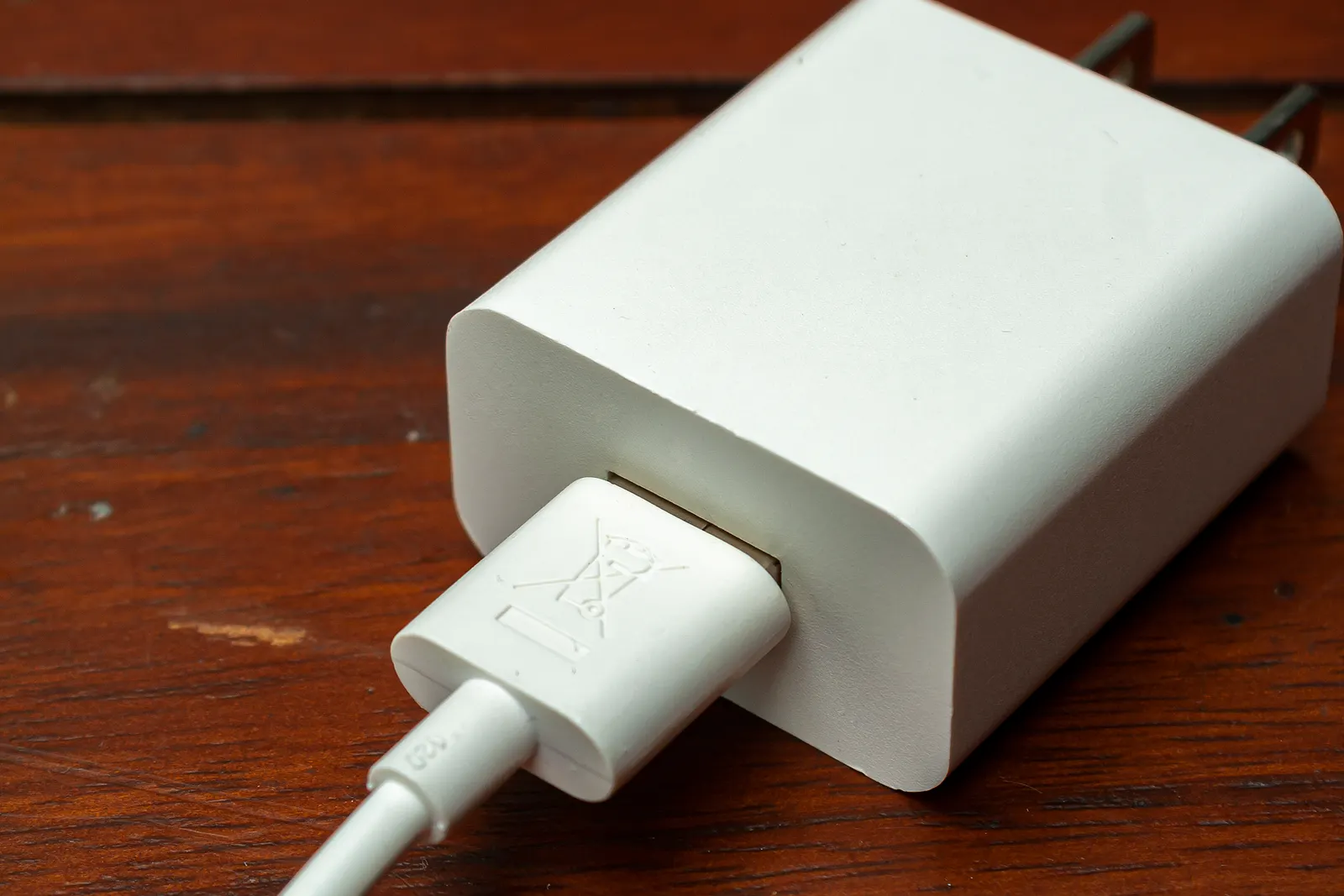
Gallium nitride (GaN) chargers have quietly fixed the worst part of travelling with electronics: the bag of bricks. A modern charger the size of a matchbox can now deliver what a laptop brick did a decade ago, and a slightly larger one can replace every charger you own.
This guide explains the wattage maths, then covers four chargers that suit different trips. Specifications are manufacturer-published; we have not run load tests or measured temperatures.

Wattage maths, without the confusion
Chargers share their total output between ports, and the split is rarely equal. A “100W” four-port charger might give 65W to the first device, 30W to the second and 20W to the rest, then reduce the first port when a fourth device is added. The number printed on the box is the total, not the guarantee.
So work backwards from your devices:
- Find the wattage of each device’s original charger. That is what it was designed to draw at full speed.
- Identify the largest. The charger’s single-port maximum must meet or exceed it, or the laptop charges slowly while you use it.
- Check the multi-port table in the manufacturer’s documentation — reputable brands publish the exact split per port combination.
- Add headroom for the future. A charger with 30W spare capacity lasts through the next laptop upgrade.
PD 3.1, EPR and the 100W wall
USB Power Delivery has been negotiating up to 100W for years. PD 3.1 added Extended Power Range, which raises the ceiling to 240W by allowing higher voltages over the same cable. To exceed 100W, three things must all support it: the charger, the cable and the device. If any one of them does not, the chain falls back to a lower profile — which is why a 140W charger can still deliver 65W to a laptop that only requests 65W.
That is fine. The point is to know what your devices will actually negotiate, rather than assuming the biggest number applies to everything.
The four picks
Anker Nano II 65W
The charger that replaced the brick in most laptop bags: 65W from a GaN unit small enough to leave plugged in at home and take with you. One port only, so it is not for families.
Why it works
- Small and light enough to carry daily
- Enough power for 13- and 14-inch laptops
- Simple, single-purpose design
What to weigh up
- One port only
- 65W is not enough for large performance laptops under load
- Plug prongs are region-specific
Where else to look
- Best BuyCheck current price
- B&H Photo VideoCheck current price
- WalmartCheck current price
- NeweggCheck current price
Specifications in this card come from the manufacturer's published material — see the sources list at the end of this guide. We do not publish prices because they change weekly.
The one-brick answer for a 13-inch laptop or a phone-and-tablet trip. Small, light, single port, and enough for an ultrabook. Choose it if you carry one laptop and nothing else that needs power.
Belkin BoostCharge Pro 108W
A multi-port GaN charger that turns one hotel socket into four: enough total power for a laptop plus phones and headphones, with sensible distribution across ports.
Why it works
- Replaces several chargers with one unit
- Intelligent distribution avoids slow charging surprises
- USB-A port for older cables and accessories
What to weigh up
- Larger than a single-port brick
- Output per port drops when everything is connected at once
- Higher price than single-port alternatives
Where else to look
- Best BuyCheck current price
- B&H Photo VideoCheck current price
- WalmartCheck current price
- NeweggCheck current price
Specifications in this card come from the manufacturer's published material — see the sources list at the end of this guide. We do not publish prices because they change weekly.
The family charger: four ports and enough total output for a laptop plus phones and headphones. Choose it if you travel with other people or carry several devices.
UGREEN Nexode Pro 100W
A five-port GaN charger with a display showing how power is distributed — useful when you are trying to work out why a device is charging slowly.
Why it works
- Five ports at a value price
- Display removes guesswork about charging speeds
- Compact for what it delivers
What to weigh up
- Individual port output is modest when all ports are in use
- Display is a small extra point of failure
Where else to look
- Best BuyCheck current price
- B&H Photo VideoCheck current price
- WalmartCheck current price
- NeweggCheck current price
Specifications in this card come from the manufacturer's published material — see the sources list at the end of this guide. We do not publish prices because they change weekly.
Five ports with a display showing how power is split — genuinely useful when a device is charging slowly and you want to know why. The value option in the multi-port class.
Anker Prime 250W Charging Station
A six-port GaN station with a display and a control dial, capable of feeding a large laptop at high wattage while still charging other devices. A desk fixture rather than a travel accessory.
Why it works
- Enough total power for a laptop plus phones and accessories
- Per-port wattage display makes faults obvious
- Replaces a power strip and several chargers
What to weigh up
- Expensive, and it is not built for travel
- App connectivity adds little for most users
- Overkill for a single-device desk
Where else to look
- Best BuyCheck current price
- B&H Photo VideoCheck current price
- WalmartCheck current price
- NeweggCheck current price
Specifications in this card come from the manufacturer's published material — see the sources list at the end of this guide. We do not publish prices because they change weekly.
A desktop station rather than a travel accessory: six ports, a display and a control dial, with enough output to feed a large laptop while charging everything else. Keep it at home and pack a smaller charger.
Comparing the four
| Anker Nano II 65W | Belkin BoostCharge Pro 108W | UGREEN Nexode Pro 100W | Anker Prime 250W | |
|---|---|---|---|---|
| Best for | One laptop, minimal kit | Family or multi-device trips | Value multi-port desks | A permanent desk |
| Ports | 1 | 4 | 5 | 6 |
| Single-port strength | 65W class | High, but shared | High, but shared | Highest |
| Display | No | No | Yes | Yes |
| Travel friendly | Yes | Yes, larger | Yes | No |
| Watch out for | One device only | Shared output | Shared output | Size and price |
Cables, adapters and the bits people forget
- Cable rating. Charging above the 60W class needs a cable rated for it, usually with an e-marker chip. An unbranded cable will silently cap your charging speed.
- Plug heads over adapters. A charger with swappable regional heads is more reliable than a universal adapter, which can heat up and arc under load.
- A short cable for the wall, a long one for the desk. Short cables reduce strain on hotel sockets that are already loose.
- One spare cable. The cable that fails is always the one you did not bring a spare for.
What to skip
- The biggest wattage you can find, for a phone. A 200W charger does not charge a phone faster than a 30W one; the phone decides.
- Universal travel adapters with USB ports built in. They combine two products and do both worse.
- Wireless charging pads for travel. Slower, bulkier, and they need their own power source.